Add example sentences and translations to your Japanese flashcards, sourced directly from the Tatoeba project. One card or an entire deck.
Why choose this plugin?
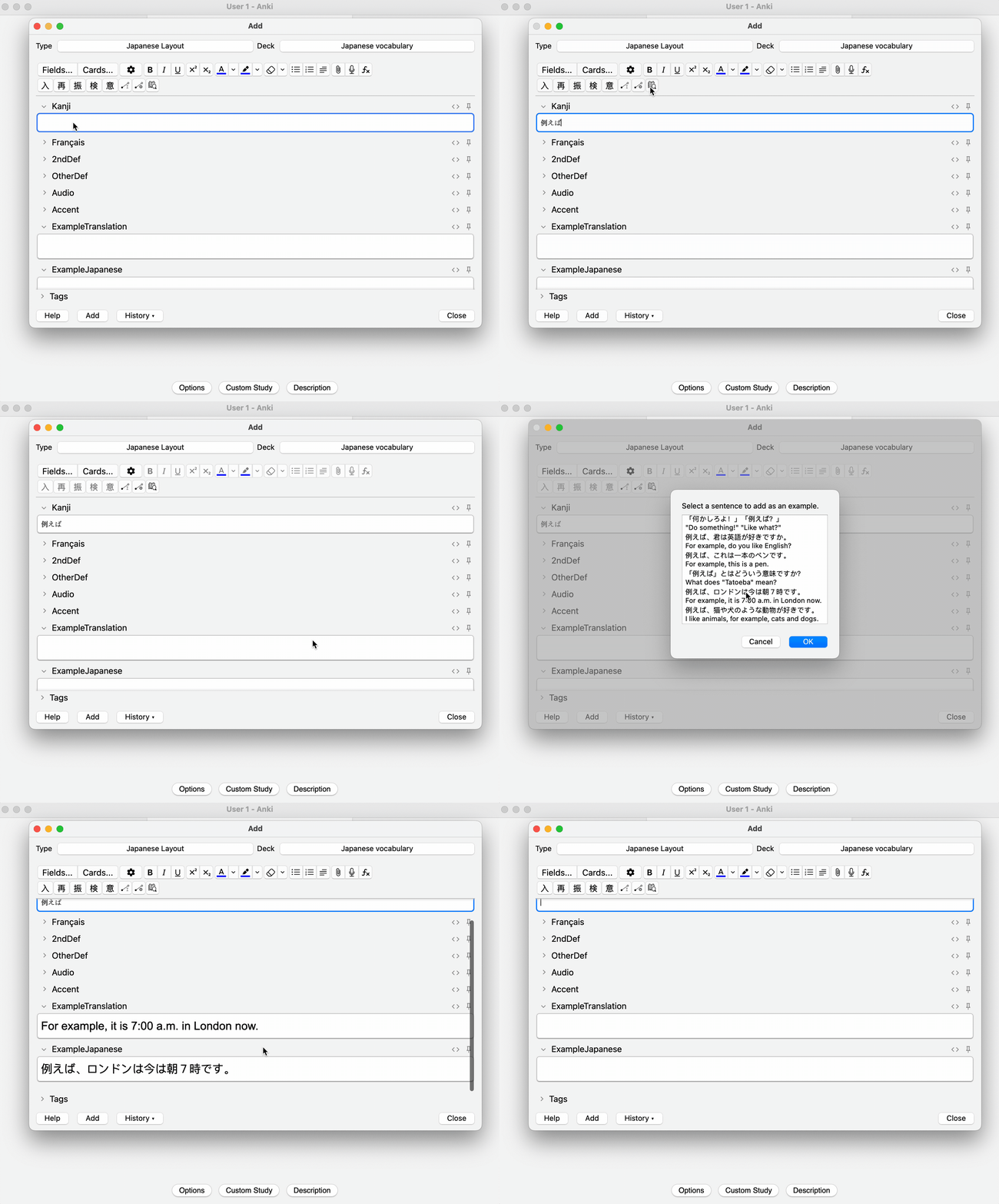
Find and select the perfect example sentence while editing a single flashcard. Browse results directly from the Tatoeba API in real time.
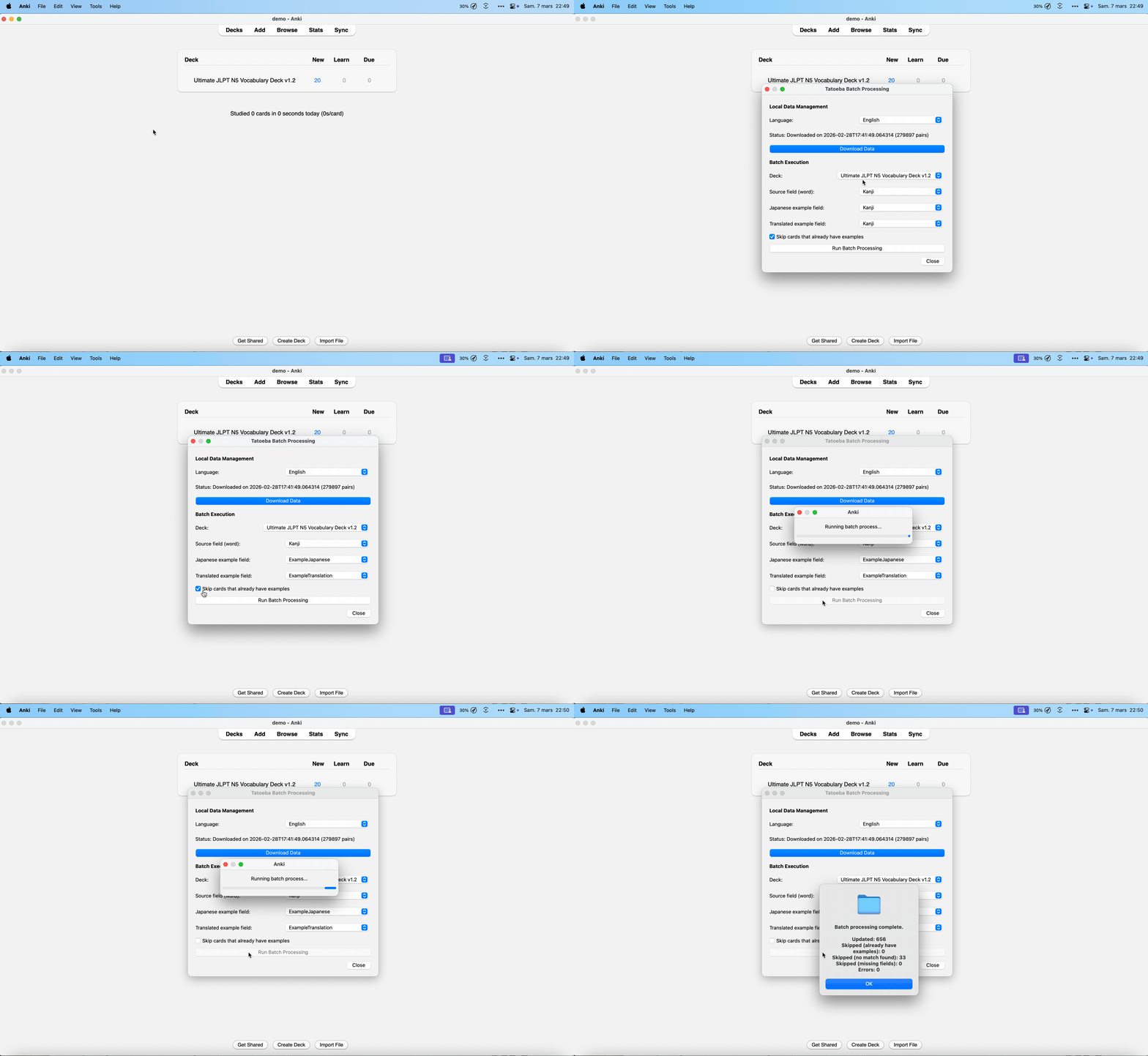
Automatically add examples to an entire deck at once. Downloads and indexes Tatoeba's database locally with SQLite for incredibly fast bulk processing.
For single additions, connects directly to the Tatoeba API for the latest community-contributed sentences.
Interface automatically adapts to your Anki language settings. Full support for English and French.
See it in action
While editing a card, click the "Add an example sentence" button. The plugin queries Tatoeba in real time and lets you browse and pick the sentence that fits best.
Go to Tools → Batch process examples, download the Tatoeba database locally, map your fields, and let the engine populate your deck in seconds.
Get started in minutes
Paste this code in Anki to install with automatic updates:
In Anki, navigate to:
Download the .ankiaddon file
from Releases,
then go to Tools → Add-ons → Install Add-on from
File…
Restart Anki, open the plugin configuration, and set the names of the fields for your Japanese examples and translations. You're ready to go!
Japanese Examples is open source under the GPLv3 license. Contributions, bug reports, and feature requests are welcome!